BLOOM'S BLOOM'S SHOW THEM THE BLOOM'S Educational Technology and Mobile Learning: blooms taxonomy:
'via Blog this'
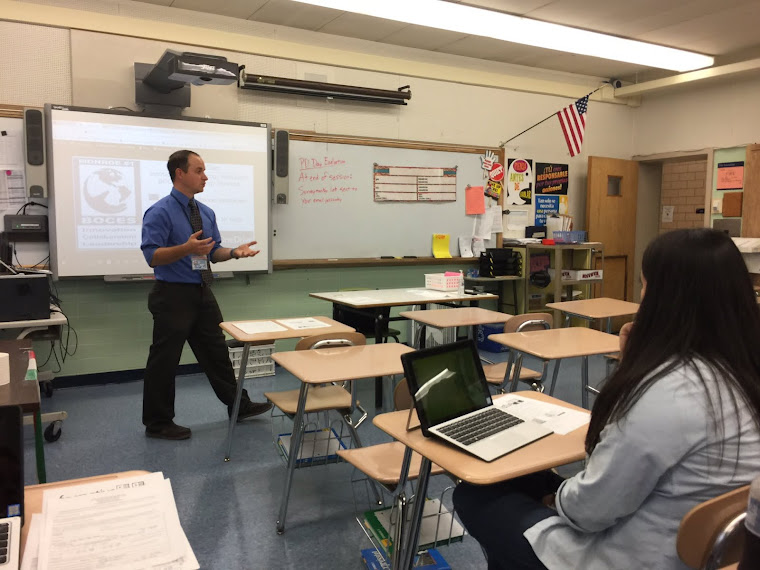
Supporting Teachers and Students integrating MicrosoftEdu & GoogleEdu. Microsoft Certified Trainer and Google Certified. I like saying Awesome still. Follow the DeSanity on Twitter @MrDSci
Wednesday, May 28, 2014

11 Good Chrome Extensions for Teachers and Students ~ Educational Technology and Mobile Learning
11 Good Chrome Extensions for Teachers and Students ~ Educational Technology and Mobile Learning:
Preparing for Next Year's adoption of Google Apps for Education
'via Blog this'
Preparing for Next Year's adoption of Google Apps for Education
'via Blog this'
Wednesday, May 14, 2014
Our School is Switching over to Google Education Apps!!! Below you will find links to Google's Educator certification training modules- students, you can use these also- so you are ready to take full advantage of your Google Account for next year and beyond!
As we have heard, each of us and all students will be using a Google account beginning next year.
We are all at differing levels of Google use. To support learning about how to use Google, every day I am sending the link to online Google Educator Training you are able to go through at your own pace-only 10-15min per lesson. There are many, many helpful tools available through Google.
Including:
1.An email account= named gmail,
2.Share-able calendars,
3.A personal online hard drive for storage accessible from anywhere(named Google Drive)
to a Free Office suite(Google Docs=Word, Google Sheets=Excel, Google Slides=PowerPoint, Google Forms=SurveyMonkey-all work is saved automatically with each keystroke),
4.Google Groups for classroom use,
5.Google Classroom(releasing this Fall).
6.Beyond this, there are thousands of non-Google apps that we can use(Ex: Lucidcharts, 3D drawing programs, and many many more that will save your work into your Google Drive automatically.
In order to help familiarize everyone with daily use of Google and the practical classroom applications of Google programs, there is an online training program specifically for educators.
****Learn the Basics and Beyond: http://www.google.com/edu/training/certifications/
This is for all levels of Google use, you can learn from the ground up, or test out if you use Google already.
**To see direct applications of Google in the classroom, explore the training here: http://www.google.com/edu/training/tools/
**Wondering how Google is implemented in schools beyond the online components? Here are a few of the programs Google has created for schools: http://www.google.com/edu/programs/index.html
Saturday, March 29, 2014
Game Based Learning (playlist)
Game Based Learning playlist on YouTube- Introductory videos and how your learning will be even more engaging in the very near future!!!
https://www.youtube.com/watch?v=LNfPdaKYOPI&list=PLSYApO1iPy_wlahUjj2fK9GxODgVR3ccT
https://www.youtube.com/watch?v=LNfPdaKYOPI&list=PLSYApO1iPy_wlahUjj2fK9GxODgVR3ccT
Monday, February 3, 2014
Starfish wasting syndrome
I have been hearing about this for a few months and the article and PBS special report video inside the article show how scary this disease is. Starfish are pulled apart by their own legs moving in opposite directions and then crawling away autonomously. As we approach our study of Marine Biology in Applied Sciences- I wanted to post this as a reminder for us to look more into this when we begin our unit.
The article and video: http://io9.com/an-unbelievably-gruesome-epidemic-is-ravaging-starfish-1513950473/@rtgonzalez
The article and video: http://io9.com/an-unbelievably-gruesome-epidemic-is-ravaging-starfish-1513950473/@rtgonzalez
Subscribe to:
Posts (Atom)