Sunday, September 7, 2014

Beginning the Tablet Pilot Program for Mercy

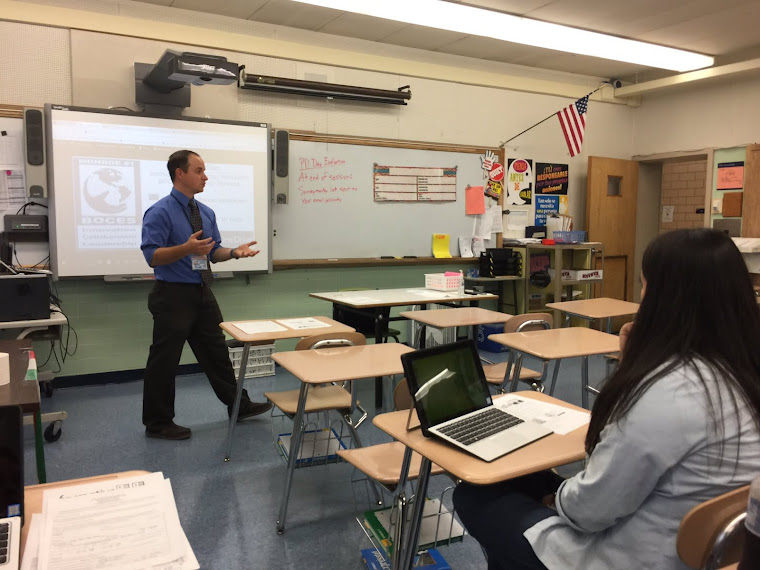
This year, we will be exploring the use of various tablet models within the school.  There will be 8 students participating beginning at the end of September.  The entire school is also using Google Apps for education this year, once the log ins are shared, all students and teachers will be able to collaborate via Google Docs, Sheets, Slides, Forms and we will be using further Apps for Forensic Science and Marine Biology as we engage in the units following our Water in Our World unit.  I trained your teachers for part of a conference day the week before school began and will continue to train and support teachers.  If you know of any helpful Google Chrome Apps or Web apps, please share them through the comments box below.  Back to the Pilot: The Pilot will consist of iPad, Android, and Windows tablets, as well as Chromebooks for use in the classroom. We are looking at the possibility of implementing a tablet program for the entire school in 2015-2016, this may be too ambitious as of now, the administration will decide next spring/summer. 

Wednesday, May 14, 2014

Our School is Switching over to Google Education Apps!!!  Below you will find links to Google's Educator certification training modules- students, you can use these also- so you are ready to take full advantage of your Google Account for next year and beyond! 


As we have heard, each of us and all students will be using a Google account beginning next year.
We are all at differing levels of Google use. To support learning about how to use Google, every day I am sending the link to online Google Educator Training you are able to go through at your own pace-only 10-15min per lesson. There are many, many helpful tools available through Google.

Including: 
1.An email account= named gmail, 

2.Share-able calendars, 

3.A personal online hard drive for storage accessible from anywhere(named Google Drive)
to a Free Office suite(Google Docs=Word, Google Sheets=Excel, Google Slides=PowerPoint, Google Forms=SurveyMonkey-all work is saved automatically with each keystroke), 

4.Google Groups for classroom use,

5.Google Classroom(releasing this Fall). 

6.Beyond this, there are thousands of non-Google apps that we can use(Ex: Lucidcharts, 3D drawing programs, and many many more that will save your work into your Google Drive automatically. 

In order to help familiarize everyone with daily use of Google and the practical classroom applications of Google programs, there is an online training program specifically for educators. 

****Learn the Basics and Beyond: http://www.google.com/edu/training/certifications/
This is for all levels of Google use, you can learn from the ground up, or test out if you use Google already.

**To see direct applications of Google in the classroom, explore the training here: http://www.google.com/edu/training/tools/

**Wondering how Google is implemented in schools beyond the online components? Here are a few of the programs Google has created for schools: http://www.google.com/edu/programs/index.html

Saturday, March 29, 2014

Game Based Learning (playlist)

Game Based Learning playlist on YouTube- Introductory videos and how your learning will be even more engaging in the very near future!!!
https://www.youtube.com/watch?v=LNfPdaKYOPI&list=PLSYApO1iPy_wlahUjj2fK9GxODgVR3ccT